When you pose the question to five IT leaders on how they store backups, you are likely to hear five different answers, and none of them is incorrect. The thing is that the backup storage decisions that were arrived at even three years ago do not always stand against the current reality: ransomware, compliance audits, surged data, and the necessity to control costs.
When it comes to teams beginning to compare object storage with NAS and SAN in terms of backup, it is not just Which one is faster or cheaper?
Is it the one that really safeguards us once things do go wrong?
And now, shall we reduce this to simple words?
Why Backup Storage Is Being Re-evaluated
Backups were previously concerned with hardware failure or accidental deletion recovery. They can protect you against ransomware and insider threats today, which is their last defense.
This is the reason why contemporary backup dialogue currently encompasses:
• Unchangeable reserves that cannot be erased by hackers.
• Retention on a long-term basis without runaway costs.
• Cloud-centered and hybrid architectures.
• Security that is auditor friendly.
This has moved several businesses to consider the ancient SAN vs. NAS storage debate once more—and the object-based backup platforms with seriousness.
The Basics
What Is Object Storage?
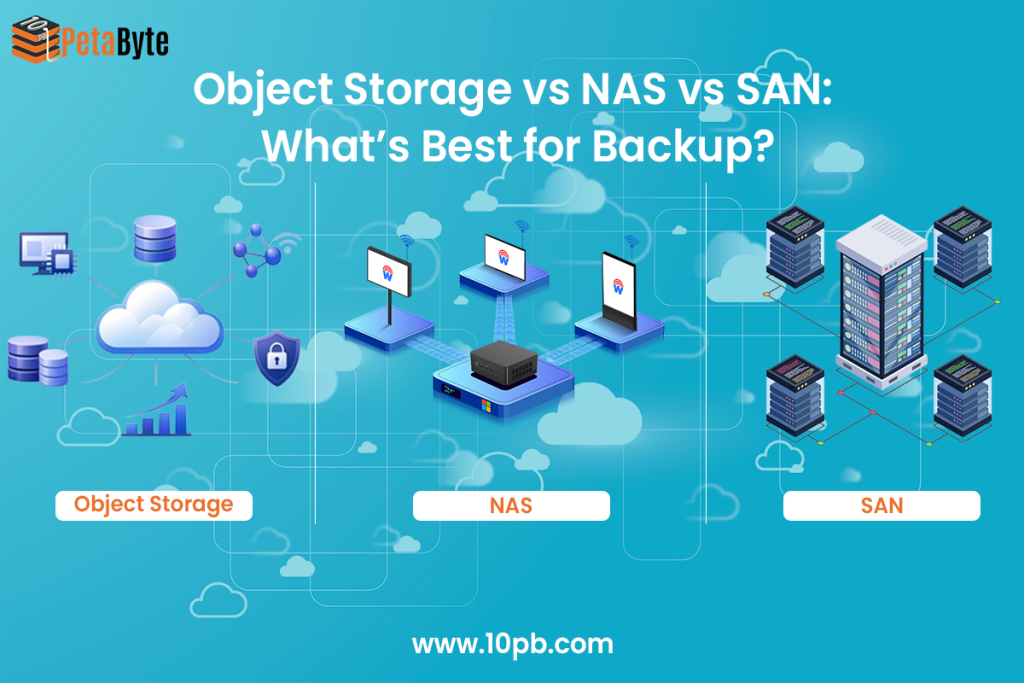
Object storage stores data in the form of objects, with their respective metadata and ID. It is reached through APIs (typically compatible with S3) and not through conventional file paths.
This is an important concern when using backups: 10PB object storage is designed to be scaled (scalability), durable (durability), and immutable (immutability), thus suited to current backup and archive applications.
What Is NAS?
NAS (Network Attached Storage) is file-based storage that exists on your network and is accessed through file system such as NFS or SMB. It is common, readily deployed, and typically used as a backup target.
NAS can be likened to NAS storage price or network-attached storage device price when individuals consider it first.
What Is SAN?
SAN (Storage Area Network) is block storage, created to meet the high-performance workloads. It is very strong, stable, and costly. Although SAN is bright in production processes, it is not necessarily the most viable option when it comes to backups.
Backup-Focused Comparison: Object Storage vs NAS vs SAN
| Feature | Object Storage | NAS | SAN |
|---|---|---|---|
| How data is accessed | API (S3/HTTP) | File-based (NFS/SMB) | Block-based |
| Scalability | Near-infinite | Limited by hardware | High, but complex |
| Cost structure | Pay-as-you-grow | Appliance-based | High CAPEX |
| Ransomware resilience | Native immutability | Snapshot-dependent | Snapshot-dependent |
| Long-term retention | Excellent | Costly | Inefficient |
| Best suited for | Backup, archive, DR | File shares, local backup | Databases, production |
Security Reality Check: This Is Where Differences Show
Object Storage: Designed for Zero-Trust Backups
Immutability is one of the largest contributors to object storage winning in the backup environments.
With features like Object Lock (WORM):
• One cannot make changes to (or destroy) the backups, even as an administrator.
• These are retention policies that are applied on the storage level.
• Ransomware cannot encrypt or delete backup data.
For security teams, this is a game changer.
NAS & SAN: Useful, But More Exposed
Snapshots are critical to NAS and SAN. Snapshots are useful, but they:
• Can be compromised and credentialally deleted frequently.
• Thus, they are usually co-located with production data.
• Not specifically created to serve ransomware cases.
That is why quite a number of business organizations consider NAS or SAN as temporary backup levels, but not end recovery repositories.
Cost: What Enterprises Actually Learn Over Time
NAS is usually the first solution in mind due to the following reason:
• The network attached storage price is predictable.
• Purchasing is uncomplex.
Teams are already in the know of how to handle it.
However, there arise difficulties with the increasing data:
Scaling entails the acquisition of additional equipment.
• Long retention contributes to NAS storage price increases.
Backup data is in competition with other workloads.
SAN, in its turn, provides performance, but at a price that most backup environments do not have to defend.
Object storage alters the mathematics:
• Lower cost per TB at scale
• No rigid capacity planning
• Best with large backup data that needs retention.
In the case of many organizations, it may not be cheaper on day one but cheaper in five years.
Real-World Backup Scenarios
Object Storage Works Best When:
• Ransomware protection cannot be negotiated.
• Backups must be immutable.
• Information storage extends to months or years.
• Multi-cloud or hybrid are in the game.
NAS Still Makes Sense When:
• You need fast local restores
• Volume backups can be handled.
• Simple things are better than long-term economics.
SAN Is Justified When:
• You already have a SAN-first environment.
• Backup SLAs require very low latency.
• Operation overhead and cost are adequate.
In reality, the vast majority of established businesses apply more than one.
Which One Should You Choose?
If you’re deciding today:
1. Select object storage in order to make immutable, long-term backups safe.
• Short-term, operational recovery Use NAS.
• Reduce SAN to workloads that are performance sensitive.
Tiered backup model This is followed by the most resilient architectures:
Fast restores NAS or SAN, and as the ultimate, immutable backup vault, object storage.
Why Object Storage Is Dominating Backup Conversations
Buyer behavior has shifted. The ransomware resiliency search, S3 compatibility, and immutable backups are on the increase, and so are the reasons.
Everywhere NAS and SAN are not being supplanted by object storage. It is substituting them where the backups are required to be able to survive worst-case conditions.
FAQs
1. Is object storage too slow for backups?
In the case of backup and restore processes, throughput and durability are more important than raw latency. Object storage is good at the following applications.
2. Can enterprise backup tools use object storage directly?
Yes. A majority of the current backup systems enable S3-compatible object storage.
3. How does object storage help against ransomware?
Immutability means that the backups cannot be modified or destroyed even when the credentials have been stolen.
4. Is NAS cheaper than object storage?
At a small scale, yes. Storage of objects is usually cheaper in bulk over time.
Final Thought
It is not about object storage and NAS and SAN. It is whether or not your backup plan will stand the test of the day when all other plans fail. In the case of most enterprises, the basis of that answer has been object storage, not due to its trendiness, but due to its construction around the facts of contemporary data protection.