Why cloud backup Has Become a Strategic Enterprise Priority
Enterprise IT environments are evolving rapidly. Organizations now operate across hybrid infrastructure, AI workloads, distributed teams, and multi-cloud ecosystems, making traditional backup strategies insufficient for modern demands.
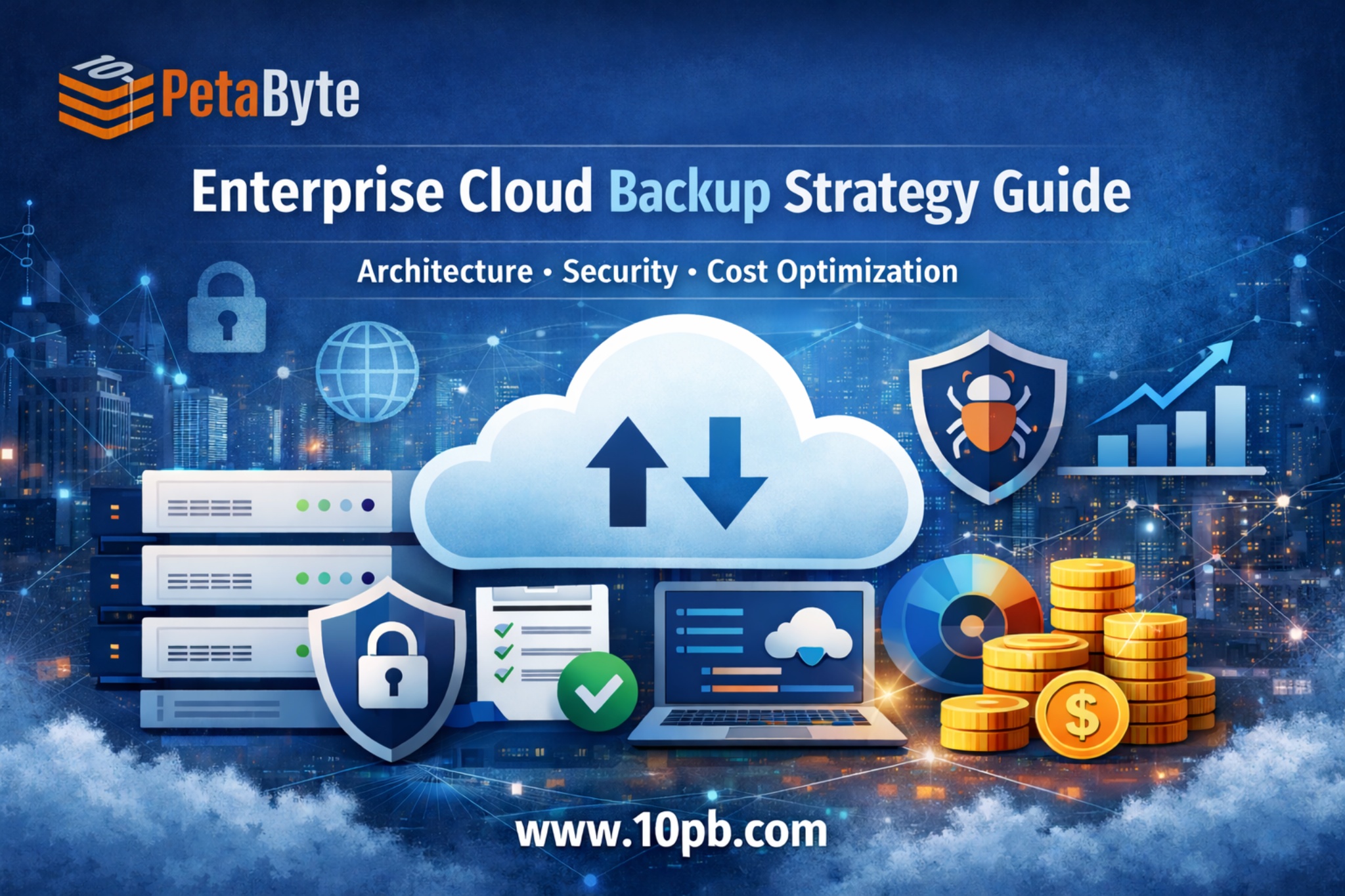
A well-designed cloud backup strategy is no longer just a safety measure; it is a critical component of business resilience, cybersecurity readiness, and operational continuity. Enterprises today must go beyond simply storing data copies and focus on automation, recovery speed, scalability, and cost optimization.
From real-world enterprise deployments, one common mistake is treating backup as an afterthought rather than integrating it into infrastructure architecture from the beginning. Modern enterprises require unified protection strategies that align with broader digital transformation goals.
Key Takeaways for Enterprise Leaders
- Modern backup must align with hybrid and multi-cloud environments.
- Ransomware protection requires immutable storage and zero-trust access.
- Automation reduces operational complexity.
- Tiered storage and lifecycle policies improve cost efficiency.
- Integrated enterprise data protection solutions enable long-term scalability.
Enterprise Backup Challenges in 2026
Rapid Data Growth
AI adoption, analytics platforms, and digital transformation initiatives are generating massive datasets. Organizations often underestimate storage expansion, resulting in reactive infrastructure scaling and rising costs.
Hybrid and Multi-Cloud Complexity
Enterprises operate across multiple cloud platforms alongside on-prem infrastructure. Maintaining consistent cloud backup and recovery across environments requires centralized visibility, automation, and policy-driven management.
Advanced Cyber Threats
Ransomware attackers increasingly target backup environments to prevent recovery. Enterprises must adopt immutable storage, segmentation, and zero-trust security models.
Compliance and Governance
Regulatory requirements demand strict retention policies, audit trails, and geographic data control. Backup strategies must integrate compliance automation rather than rely on manual processes.
The Enterprise Cloud Backup Framework
High-performing organizations follow a layered strategy when designing modern backup architecture.
1. Architecture Layer
Modern cloud computing backup and recovery platforms centralize orchestration while distributing storage across multiple regions. This reduces single points of failure and improves disaster resilience.
2. Protection Layer
Snapshot-based backup captures incremental system changes, reducing bandwidth usage and enabling faster recovery.
3. Security Layer
Immutable storage ensures backup data cannot be altered during retention periods, a critical defense against ransomware.
4. Optimization Layer
Policy-driven automation transitions older datasets into data archiving workflows, balancing performance requirements with cost efficiency.
Security and Ransomware Protection Strategy
Security must be embedded directly into backup architecture.
Zero-Trust Access Controls
Role-based permissions, strong authentication, and restricted access ensure only authorized users interact with backup environments.
Air-Gapped Backup Copies
Maintaining isolated backup copies ensures recoverability even during full infrastructure compromise.
End-to-End Encryption
Data should remain encrypted during transit, storage, and processing stages.
Continuous Monitoring and Threat Detection
Behavioral analytics tools help identify suspicious activity early. A comprehensive backup design should also align with a broader cloud disaster recovery strategy, ensuring full operational restoration rather than just data recovery.
Cost Optimization and Scalability Strategies
Backup costs increase alongside data growth if not optimized properly.
Tiered Storage Architecture
Active datasets remain on high-performance storage, while older or infrequently accessed information moves to lower-cost tiers.
Deduplication and Compression
Removing redundant data reduces storage consumption and improves efficiency.
Flexible Pricing Models
Modern cloud service backup platforms offer consumption-based pricing aligned with enterprise growth, reducing capital expenditure.
Automated Lifecycle Policies
Automation moves data between storage tiers based on usage patterns, reducing manual management and operational overhead.
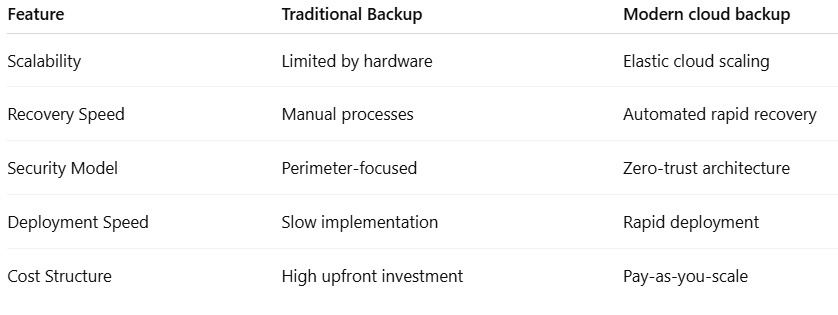
Cloud Backup vs Traditional Backup Approaches
Real Enterprise Use Cases
Healthcare Systems
Hospitals rely on enterprise data protection solutions to secure patient records across distributed environments while maintaining compliance and rapid recovery capabilities.
Education Institutions
Universities adopting cloud services for education require centralized backup systems to protect research data, student records, and collaborative platforms.
SaaS Providers
Software companies maintain continuous backup to protect customer data, minimize downtime, and ensure reliable service delivery. Organizations evaluating the best cloud backup tools typically prioritize automation, hybrid compatibility, security architecture, and scalability.
Future Trends in Enterprise Cloud Backup
AI-Driven Backup Optimization
Machine learning is increasingly used to optimize backup schedules and storage placement automatically.
Edge Infrastructure Protection
As edge computing expands, backup strategies must extend protection closer to data sources.
Unified Data Protection Platforms
Enterprises are moving toward integrated platforms combining backup, monitoring, and disaster recovery capabilities.
Sustainable Storage Models
Energy-efficient storage infrastructure and intelligent lifecycle management help reduce environmental impact while lowering operational costs.
Conclusion: Building a Future-Ready Backup Strategy
Enterprise backup has evolved into a strategic capability that supports business resilience, cybersecurity readiness, and long-term scalability. Organizations that adopt intelligent architecture, automation, and integrated enterprise data protection solutions gain faster recovery times and improved protection against modern threats.
Investing in scalable infrastructure and aligning backup with a broader IT strategy ensures organizations remain competitive in a rapidly evolving digital landscape.
Cloud backup remains a foundational pillar of enterprise IT strategy, enabling data protection, operational continuity, and secure digital transformation.
As AI workloads continue to grow, organizations are increasingly adopting GPU-powered infrastructure to handle data processing, model training, and analytics. Platforms like Inhosted’s GPU cloud environments introduce new backup considerations, where scalable cloud backup and recovery strategies must protect large datasets, checkpoints, and distributed compute environments. Integrating backup with AI infrastructure ensures resilience without impacting performance or development workflows.
FAQs
1. What is the difference between cloud backup and disaster recovery?
Cloud backup protects data copies, while disaster recovery focuses on restoring full infrastructure and operations after incidents.
2. What are the best cloud backup tools for enterprises?
The best tools offer automation, immutable storage, encryption, hybrid compatibility, and centralized management.
3. Is cloud computing backup and recovery secure?
Yes, when implemented with zero-trust access controls, encryption, and isolated storage environments.
4. How can companies optimize cloud backup and recovery costs?
Use tiered storage, lifecycle automation, deduplication, and consumption-based pricing models.
5. Why is ransomware protection important in cloud service backup?
Attackers increasingly target backups; immutable storage and air-gapped copies ensure recoverability even after attacks.